In Sage Intelligence, account balances are typically returned in their “natural format” from your Sage accounting or business management solution. In other words, credit accounts (with a credit balance) are shown as negative values and debit accounts (with a debit balance) are shown as positives values. However, in financial reporting, there are times when the […]

- Solutions
All Solutions
- Standalone Reporting Tool
- Sage Intelligence for Accounting
- Sage 300cloud Intelligence
- Sage 50cloud Pastel Intelligence Reporting
- Sage Pastel Payroll Intelligence Reporting
- Sage 100/200 Evolution Intelligence Reporting
- Sage 100 Intelligence Reporting
- Sage 300 Intelligence Reporting
- Sage 500 Intelligence Reporting
- Sage VIP Intelligence Reporting
- Resources
All Solutions
- Standalone Reporting Tool
- Sage Intelligence for Accounting
- Sage 300cloud Intelligence
- Sage 50cloud Pastel Intelligence Reporting
- Sage Pastel Payroll Intelligence Reporting
- Sage 100/200 Evolution Intelligence Reporting
- Sage 100 Intelligence Reporting
- Sage 300 Intelligence Reporting
- Sage 500 Intelligence Reporting
- Sage VIP Intelligence Reporting
Additional Reports
Download our latest Report Utility tool, giving you the ability to access a library of continually updated reports. You don’t need to waste time manually importing new reports, they are automatically imported into the Report Manager module for you to start using.Sage Intelligence Tips & Tricks
Our Sage Intelligence Tips and Tricks will help you make the most of your favorite reporting solution.Excel Tips & Tricks
Our Excel Tips and Tricks will help you improve your business reporting knowledge and skills.- Learning
- Support
All Solutions
- Standalone Reporting Tool
- Sage Intelligence for Accounting
- Sage 300cloud Intelligence
- Sage 50cloud Pastel Intelligence Reporting
- Sage Pastel Payroll Intelligence Reporting
- Sage 100/200 Evolution Intelligence Reporting
- Sage 100 Intelligence Reporting
- Sage 300 Intelligence Reporting
- Sage 500 Intelligence Reporting
- Sage VIP Intelligence Reporting
Additional Reports
Download our latest Report Utility tool, giving you the ability to access a library of continually updated reports. You don’t need to waste time manually importing new reports, they are automatically imported into the Report Manager module for you to start using.Sage Intelligence Tips & Tricks
Our Sage Intelligence Tips and Tricks will help you make the most of your favorite reporting solution.Excel Tips & Tricks
Our Excel Tips and Tricks will help you improve your business reporting knowledge and skills.Get Support Assistance
Can’t find the solution to the challenge you’re facing in the resource library? No problem! Our highly-trained support team are here to help you out.Knowledgebase
Did you know that you also have access to the same knowledgebase articles our colleagues use here at Sage Intelligence? Available 24/7, the Sage Intelligence Knowledgebase gives you access to articles written and updated by Sage support analysts.Report Writers
Having some trouble creating or customizing the exact report you need to suit your business’s requirements? Contact one of the expert report writers recommended by Sage Intelligence.- Sage City
- University
- About Us
- Contact Us
Home Business Intelligence Page 9
Desk-job Heroes (Part 2)
In part one of this blog, I posed a few key questions that probed into how you feel you make a difference in the world—as desk-job heroes—even though you have a corporate role and are in no way packing up to trek into the Andes and save mountain Lions. I loved reading the responses. Each […]
Gain a complete visual health-check of your business with the aid of a dashboard
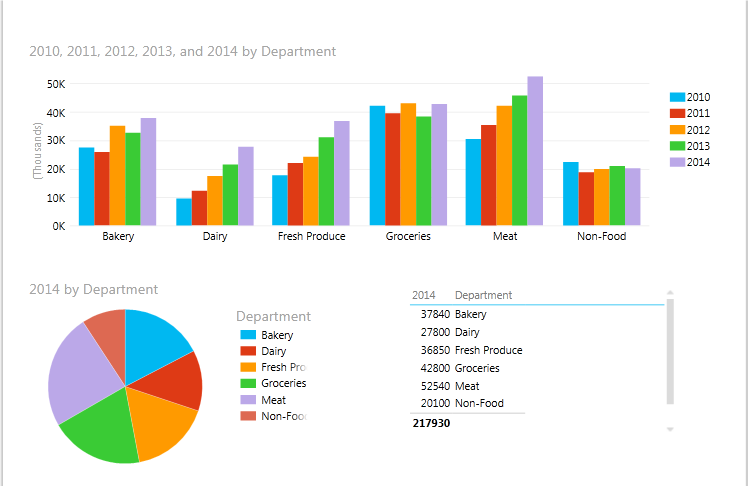
Over the past year we’ve created a number of financial and sales reports, allowing you to get a handle on the financial position of your business and be able to keep track of your creditors and debtors. We’ve made these reports freely available to you through our Report Utility. Below is an example of just […]
5 Reasons solo-entrepreneurs should use business intelligence
Even though most solo-entrepreneurs understand the benefits of business intelligence, they will probably never take advantage of it. They will assume they have neither the time nor the money to make use of business intelligence. But the field of business intelligence has changed over the years. It’s now cheaper and easier than ever for freelancers, […]
Learn how to save your rows and columns in the cloud for future use
When designing reports in Sage Intelligence, you may create custom rows and columns that you might want to make use of in future reports. Sage Intelligence provides a convenient way to save these sets, making future report creation a breeze. In this tip, I’m going to show you how to work with the Quick Add […]
Learning your business intelligence solution made easy
Learning your business intelligence solution doesn’t have to be as daunting as some may feel. Here’s the thing—you already know the benefits of business intelligence (BI). You know that good BI can provide valuable, and profitable, insights for your company. But, are you fully implementing your BI solution and taking advantage of all of its […]
The big deal with Power BI
Over the past couple of months, the Microsoft Power BI team has been hard at work making all kinds of changes. Some good and some seemingly bad. For this 3rd blog post, I will do my best to chat about what I love and not really love about Power BI—and of course, brag about Sage […]
8 tips to use when working with reports in the Excel Report Designer for Sage Intelligence
Sage Intelligence Reporting Cloud provides convenience to you as it lets you work in whichever environment you’re most comfortable in. You can either choose to design reports in your browser through the Online Report Designer or in Excel—through the Excel Report Designer. When making use of the Excel Report Designer, there are a number of […]
How to Subtotal Dates by Month and Year in Excel
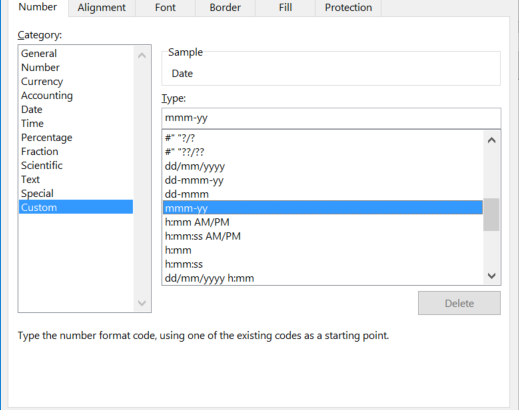
If your data has a column of dates, you may want to subtotal dates by month and year. However, when using the Subtotal command, the desired result is not being achieved as it creates a subtotal for each day. You are welcome to download the workbook to practice. Applies To: Microsoft® Excel® for Windows 2010, […]
Can Excel be considered a complete BI solution?
While trawling through the old files on my organization’s server recently, I stumbled across a 2008 report in which Forrester Wave for Enterprise Business Intelligence Platforms assessed 12 BI vendors/tools. While the report was incredibly interesting, I realized that it did not include Excel as one of the 12 solutions—which got me thinking: Can Excel […]
Return to topLearning
Sage South Africa
© Sage South Africa Pty Ltd 2020
.
All Rights Reserved.