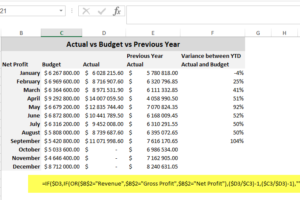
Sometimes converting negative values to positive values can be time-consuming. This tip allows you to quickly convert a range of negative values into positive values, without having to edit each cell. Applies To: Microsoft® Excel® for Windows 2010, 2013, and 2016. 1. In a blank cell, enter the value -1. 2. Select the cell with […]
- Solutions
All Solutions
- Standalone Reporting Tool
- Sage Intelligence for Accounting
- Sage 300cloud Intelligence
- Sage 50cloud Pastel Intelligence Reporting
- Sage Pastel Payroll Intelligence Reporting
- Sage 100/200 Evolution Intelligence Reporting
- Sage 100 Intelligence Reporting
- Sage 300 Intelligence Reporting
- Sage 500 Intelligence Reporting
- Sage VIP Intelligence Reporting
- Resources
All Solutions
- Standalone Reporting Tool
- Sage Intelligence for Accounting
- Sage 300cloud Intelligence
- Sage 50cloud Pastel Intelligence Reporting
- Sage Pastel Payroll Intelligence Reporting
- Sage 100/200 Evolution Intelligence Reporting
- Sage 100 Intelligence Reporting
- Sage 300 Intelligence Reporting
- Sage 500 Intelligence Reporting
- Sage VIP Intelligence Reporting
Additional Reports
Download our latest Report Utility tool, giving you the ability to access a library of continually updated reports. You don’t need to waste time manually importing new reports, they are automatically imported into the Report Manager module for you to start using.Sage Intelligence Tips & Tricks
Our Sage Intelligence Tips and Tricks will help you make the most of your favorite reporting solution.Excel Tips & Tricks
Our Excel Tips and Tricks will help you improve your business reporting knowledge and skills.- Learning
- Support
All Solutions
- Standalone Reporting Tool
- Sage Intelligence for Accounting
- Sage 300cloud Intelligence
- Sage 50cloud Pastel Intelligence Reporting
- Sage Pastel Payroll Intelligence Reporting
- Sage 100/200 Evolution Intelligence Reporting
- Sage 100 Intelligence Reporting
- Sage 300 Intelligence Reporting
- Sage 500 Intelligence Reporting
- Sage VIP Intelligence Reporting
Additional Reports
Download our latest Report Utility tool, giving you the ability to access a library of continually updated reports. You don’t need to waste time manually importing new reports, they are automatically imported into the Report Manager module for you to start using.Sage Intelligence Tips & Tricks
Our Sage Intelligence Tips and Tricks will help you make the most of your favorite reporting solution.Excel Tips & Tricks
Our Excel Tips and Tricks will help you improve your business reporting knowledge and skills.Get Support Assistance
Can’t find the solution to the challenge you’re facing in the resource library? No problem! Our highly-trained support team are here to help you out.Knowledgebase
Did you know that you also have access to the same knowledgebase articles our colleagues use here at Sage Intelligence? Available 24/7, the Sage Intelligence Knowledgebase gives you access to articles written and updated by Sage support analysts.Report Writers
Having some trouble creating or customizing the exact report you need to suit your business’s requirements? Contact one of the expert report writers recommended by Sage Intelligence.- Sage City
- University
- About Us
- Contact Us
Create your own Operational Report in Sage Intelligence Reporting Cloud
Do you want to create your own operational report and analyze it according to your specific reporting needs from Accounting International? Sage Intelligence Reporting & Microsoft Excel make this easy and quick to do. Applies to: Accounting International, Microsoft Excel 2013 & 2016 How do I do this? 1. Download one of the standard Intelligence […]
Learn how to consolidate different kinds of data into one report
Do you want to consolidate, bring together and analyze different kinds of data in one report? You may want to view your financial, payroll and payments information in a single dashboard. Currently, you may be spending a large amount of time reviewing these different reports to be able to draw a final conclusion. In Sage […]
Unlocking the door to complete business visibility
Keyhole visibility is a concept that is familiar to many Small & Medium Businesses (SMBs). This type of business visibility is equivalent to trying to see what’s happening in a room by looking through the keyhole of a door. Likewise, with a narrow view of your business, you are forced to make critical decisions with […]
How to automatically open a frequently used workbook
If you start each day needing to use a frequently used workbook, e.g. daily sales report, to-do list, calendar, etc, then this tip is for you. You can automatically open these workbooks, by simply adding the workbooks or a shortcut in the XLStart folder. This is a specific folder that Microsoft® Excel® uses in which files […]
How to extract the formula text in Excel
Auditing and troubleshooting formulas in Microsoft® Excel® can be time consuming and difficult. That is why the FORMULATEXT function is helpful because it simplifies formulae error checking and correction. The formula text can easily be extracted without having to copy and paste. The FORMULATEXT function syntax has one required input—a reference to a cell or […]
How to print different headers and footers for odd and even pages
If you’ve created a Microsoft® Excel® report that needs to be printed double-sided (e.g. booklet form), you may want to have your headers or footers printed on different sides of the paper—left hand side for odd pages, and right hand side for even pages. To achieve this effect, follow this tip and use the Page […]
How to enhance your chart data series using a pictograph
Charts are used for displaying data graphically, and they can be enhanced by using a pictograph. Pictographs use any picture you choose to represent as your data series in the charts. Icons can also be used as pictograph to represent data values in order to decrease the size of the graph. You will find the […]
Adding a report template to a new report in Sage Intelligence Reporting
In our last tip, you discovered that with an existing report, you’re able to make and save changes to a layout as a result of the Excel template that is associated with it. This means that any modifications you make persist each time the report is run, with the latest data being populated. If you’d […]
How to quickly rearrange your worksheets in alphabetical order
Are you looking for a shortcut to quickly rearrange your worksheets in alphabetical order? Instead of dragging and manually arranging your worksheets, you can use VB for Microsoft® Excel® to quickly rearrange them into alphabetical order. Excel currently has no built-in function to rearrange your worksheets. Therefore, if you have a workbook with many worksheets, […]
Return to topLearning
Sage South Africa
© Sage South Africa Pty Ltd 2020
.
All Rights Reserved.