Creating a report can be a masterful art, and creating a report that is perfectly tailored to your audience can be an ever-evolving process – especially as the audience evolves. To ensure your report is concise and to the point, it is important to only show the items relevant to your viewers, and not any […]
- Solutions
All Solutions
- Standalone Reporting Tool
- Sage Intelligence for Accounting
- Sage 300cloud Intelligence
- Sage 50cloud Pastel Intelligence Reporting
- Sage Pastel Payroll Intelligence Reporting
- Sage 100/200 Evolution Intelligence Reporting
- Sage 100 Intelligence Reporting
- Sage 300 Intelligence Reporting
- Sage 500 Intelligence Reporting
- Sage VIP Intelligence Reporting
- Resources
All Solutions
- Standalone Reporting Tool
- Sage Intelligence for Accounting
- Sage 300cloud Intelligence
- Sage 50cloud Pastel Intelligence Reporting
- Sage Pastel Payroll Intelligence Reporting
- Sage 100/200 Evolution Intelligence Reporting
- Sage 100 Intelligence Reporting
- Sage 300 Intelligence Reporting
- Sage 500 Intelligence Reporting
- Sage VIP Intelligence Reporting
Additional Reports
Download our latest Report Utility tool, giving you the ability to access a library of continually updated reports. You don’t need to waste time manually importing new reports, they are automatically imported into the Report Manager module for you to start using.Sage Intelligence Tips & Tricks
Our Sage Intelligence Tips and Tricks will help you make the most of your favorite reporting solution.Excel Tips & Tricks
Our Excel Tips and Tricks will help you improve your business reporting knowledge and skills.- Learning
- Support
All Solutions
- Standalone Reporting Tool
- Sage Intelligence for Accounting
- Sage 300cloud Intelligence
- Sage 50cloud Pastel Intelligence Reporting
- Sage Pastel Payroll Intelligence Reporting
- Sage 100/200 Evolution Intelligence Reporting
- Sage 100 Intelligence Reporting
- Sage 300 Intelligence Reporting
- Sage 500 Intelligence Reporting
- Sage VIP Intelligence Reporting
Additional Reports
Download our latest Report Utility tool, giving you the ability to access a library of continually updated reports. You don’t need to waste time manually importing new reports, they are automatically imported into the Report Manager module for you to start using.Sage Intelligence Tips & Tricks
Our Sage Intelligence Tips and Tricks will help you make the most of your favorite reporting solution.Excel Tips & Tricks
Our Excel Tips and Tricks will help you improve your business reporting knowledge and skills.Get Support Assistance
Can’t find the solution to the challenge you’re facing in the resource library? No problem! Our highly-trained support team are here to help you out.Knowledgebase
Did you know that you also have access to the same knowledgebase articles our colleagues use here at Sage Intelligence? Available 24/7, the Sage Intelligence Knowledgebase gives you access to articles written and updated by Sage support analysts.Report Writers
Having some trouble creating or customizing the exact report you need to suit your business’s requirements? Contact one of the expert report writers recommended by Sage Intelligence.- Sage City
- University
- About Us
- Contact Us
How to delete data but keep your formulas on a worksheet in Excel
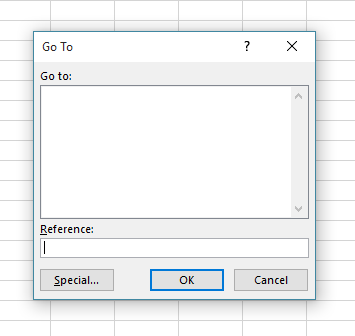
Have you ever found that at the beginning of the financial year you need to make a copy of the previous year’s workbook? If so, you’d need to delete all the old year’s data, but you would really like to keep your formulas in the worksheet. By using the Go To dialogue box, there is […]
How to quickly convert negative values to positive values
Sometimes converting negative values to positive values can be time-consuming. This tip allows you to quickly convert a range of negative values into positive values, without having to edit each cell. Applies To: Microsoft® Excel® for Windows 2010, 2013, and 2016. 1. In a blank cell, enter the value -1. 2. Select the cell with […]
How to round a number off to the nearest multiple in Excel
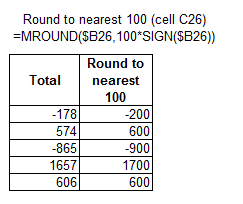
If you need to round a number off to a specified multiple, for example; rounding a selling price to the nearest 5cents or rounding a time to the nearest 15 minutes—then MROUND is the function to use. Below we explain how that can be done. Applies To: Microsoft® Excel® for Windows 2010,2013,2016 If you want to […]
Easily move a row or column in Excel
When wanting to move a row or column in Excel from one section of a worksheet to another (e.g. from row 13 to row 10), it’s normal practice to use the Cut and Insert Cut Cells command. However, an easier and quicker way to do this is the following: Select the values in the row/rows […]
Create your own Operational Report in Sage Intelligence Reporting Cloud
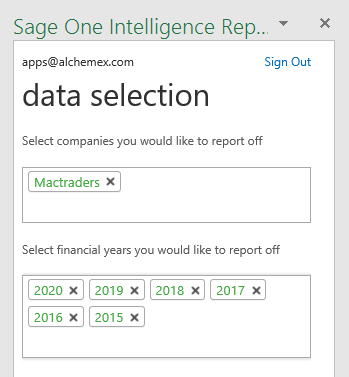
Do you want to create your own operational report and analyze it according to your specific reporting needs from Accounting International? Sage Intelligence Reporting & Microsoft Excel make this easy and quick to do. Applies to: Accounting International, Microsoft Excel 2013 & 2016 How do I do this? 1. Download one of the standard Intelligence […]
How to Print a List of Named Ranges in Excel
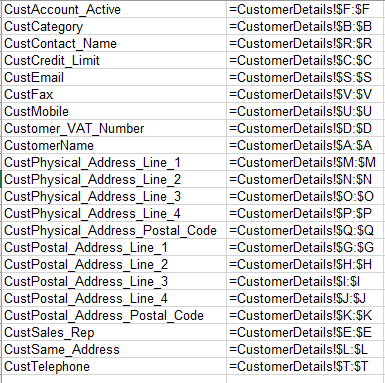
It is very easy to create a large list of named ranges but to manage those ranges can be confusing, especially if you receive the workbook from somebody else. Having a list of the named ranges in your workbook could be helpful. To get a list, follow these steps: Applies To: Microsoft® Excel® for Windows […]
Learn how to quickly and easily make changes to the design of your Sage Intelligence Reports
Do you want to be able to conveniently update your Sage Intelligence reports? Some of your reports may appear outdated or may require a change in branding based on new company policies. You may also want to add new functionality based on later versions of Excel. This is quick and easy to do with the […]
How to use the IFS Function in Microsoft® Excel®
The IFS function gives you an efficient alternative to the tedious task of creating a nested IF function. The IFS function checks conditions sequentially, and as soon as a condition is found to be true, the function stops and returns the specified value. You can take advantage of this logic to define a default result […]
How to Create a 3D Map in Excel 2016
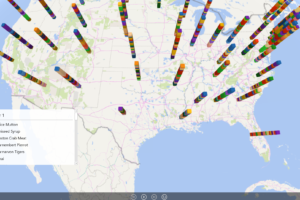
With a 3D Map, you can plot geographical data and view it on a 3D globe or custom map. If your data is time-stamped, you can even use a 3D Map to get a geographical tour of how your data changes over time. To create a 3D Map, your data must be in table format, […]
Return to topLearning
Sage South Africa
© Sage South Africa Pty Ltd 2020
.
All Rights Reserved.