• Sage City
  • University
  • About Us
  • Contact Us
Sage
  •  Menu
     Close
Home
  • Solutions
    • All Solutions

      All Solutions

      • Standalone Reporting Tool
      • Sage Intelligence for Accounting
      • Sage 300cloud Intelligence
      • Sage 50cloud Pastel Intelligence Reporting
      • Sage Pastel Payroll Intelligence Reporting
      • Sage 100/200 Evolution Intelligence Reporting
      • Sage 100 Intelligence Reporting
      • Sage 300 Intelligence Reporting
      • Sage 500 Intelligence Reporting
      • Sage VIP Intelligence Reporting
    • Resources
      • Additional Reports
      • Sage Intelligence Tips & Tricks
      • Excel Tips & Tricks

        All Solutions

        • Standalone Reporting Tool
        • Sage Intelligence for Accounting
        • Sage 300cloud Intelligence
        • Sage 50cloud Pastel Intelligence Reporting
        • Sage Pastel Payroll Intelligence Reporting
        • Sage 100/200 Evolution Intelligence Reporting
        • Sage 100 Intelligence Reporting
        • Sage 300 Intelligence Reporting
        • Sage 500 Intelligence Reporting
        • Sage VIP Intelligence Reporting

        Additional Reports

        Download our latest Report Utility tool, giving you the ability to access a library of continually updated reports. You don’t need to waste time manually importing new reports, they are automatically imported into the Report Manager module for you to start using.

        Sage Intelligence Tips & Tricks

        Our Sage Intelligence Tips and Tricks will help you make the most of your favorite reporting solution.

        Excel Tips & Tricks

        Our Excel Tips and Tricks will help you improve your business reporting knowledge and skills.
      • Learning
      • Support
        • Get Support Assistance
        • Knowledgebase
        • Report Writers

          All Solutions

          • Standalone Reporting Tool
          • Sage Intelligence for Accounting
          • Sage 300cloud Intelligence
          • Sage 50cloud Pastel Intelligence Reporting
          • Sage Pastel Payroll Intelligence Reporting
          • Sage 100/200 Evolution Intelligence Reporting
          • Sage 100 Intelligence Reporting
          • Sage 300 Intelligence Reporting
          • Sage 500 Intelligence Reporting
          • Sage VIP Intelligence Reporting

          Additional Reports

          Download our latest Report Utility tool, giving you the ability to access a library of continually updated reports. You don’t need to waste time manually importing new reports, they are automatically imported into the Report Manager module for you to start using.

          Sage Intelligence Tips & Tricks

          Our Sage Intelligence Tips and Tricks will help you make the most of your favorite reporting solution.

          Excel Tips & Tricks

          Our Excel Tips and Tricks will help you improve your business reporting knowledge and skills.

          Get Support Assistance

          Can’t find the solution to the challenge you’re facing in the resource library? No problem! Our highly-trained support team are here to help you out.

          Knowledgebase

          Did you know that you also have access to the same knowledgebase articles our colleagues use here at Sage Intelligence? Available 24/7, the Sage Intelligence Knowledgebase gives you access to articles written and updated by Sage support analysts.

          Report Writers

          Having some trouble creating or customizing the exact report you need to suit your business’s requirements? Contact one of the expert report writers recommended by Sage Intelligence.
        • Sage City
        • University
        • About Us
        • Contact Us

        Home Excel Tip Page 5

        How to prevent objects from distorting in Excel

        Mar 16, 2017 Edwin Chuza Leave a comment Excel Tips & Tricks, Tips & Tricks

        When an object has been placed in the same row as your data and you delete some of your rows, you may find that your object will either be compressed or deleted completely.  This can easily be avoided by changing a setting in your object properties, thus preventing your object from distorting in Excel. In […]

        Continue reading


        How to get a distinct count in a Pivot Table

        Mar 9, 2017 Mathew Love Leave a comment Excel Tips & Tricks, Tips & Tricks

        Do you need to know how many customers you have invoiced this month?  When creating a Pivot Table and adding your customers to both the row labels and again in the value area, each transaction is totaled for each customer.  This does not give a true reflection of how many customers you have invoiced. In […]

        Continue reading


        3 Easy steps to create a forecast report in Microsoft® Excel® 2016

        Feb 23, 2017 Excel Tips Leave a comment Excel Tips & Tricks, Tips & Tricks

        Have you ever needed to create a forecast report in Microsoft® Excel®? How did you calculate the projections? Whichever methods you used, Microsoft has made this much simpler with a new feature called Forecast Sheet. All you need to do is provide the input, and with a single click of the new Forecast Sheet button, Excel […]

        Continue reading


        How to automatically open a frequently used workbook

        Feb 16, 2017 Edwin Chuza Leave a comment Excel Tips & Tricks, Tips & Tricks

        If you start each day needing to use a frequently used workbook, e.g. daily sales report, to-do list, calendar, etc, then this tip is for you.  You can automatically open these workbooks, by simply adding the workbooks or a shortcut in the XLStart folder.  This is a specific folder that Microsoft® Excel® uses in which files […]

        Continue reading


        How to extract the formula text in Excel

        Feb 9, 2017 Edwin Chuza Leave a comment Excel Tips & Tricks

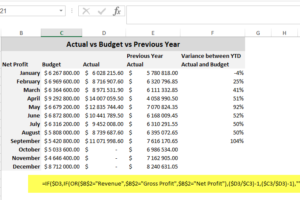
        Auditing and troubleshooting formulas in Microsoft® Excel® can be time consuming and difficult. That is why the FORMULATEXT function is helpful because it simplifies formulae error checking and correction. The formula text can easily be extracted without having to copy and paste. The FORMULATEXT function syntax has one required input—a reference to a cell or […]

        Continue reading


        How to print different headers and footers for odd and even pages

        Jan 26, 2017 Glynnis Boyens 2 Comments Excel Tips & Tricks, Tips & Tricks

        If you’ve created a Microsoft® Excel® report that needs to be printed double-sided (e.g. booklet form), you may want to have your headers or footers printed on different sides of the paper—left hand side for odd pages, and right hand side for even pages. To achieve this effect, follow this tip and use the Page […]

        Continue reading


        How to prevent slicers from ruining filtered charts in Excel

        Nov 24, 2016 Edwin Chuza Leave a comment Excel Tips & Tricks, Tips & Tricks

        Charts are used for creating a graphical presentation of the data.  A common practice when creating charts is to create them off of a filtered Pivot Table, usually a Top 5 or a Top 10 Pivot Table.  Slicers can then be added to interactively filter the data in the chart. When filtering data with the […]

        Continue reading


        An easy way to count cells that are not empty in Excel

        Nov 3, 2016 Excel Tips Leave a comment Excel Tips & Tricks

        Let’s say you want to count cells that contain the number of employees in a data range, and would like to ignore any blank cells. The way to go about doing this is to use the COUNTA function. The COUNTA function is a way to count cells containing any type of information, including error values […]

        Continue reading


        How to easily double-check your Excel formula

        Oct 27, 2016 Excel Tips Leave a comment Excel Tips & Tricks, Tips & Tricks

        When creating an Excel formula, sometimes the result you get is not quite the one you expected, and if a complex formula is being used, it can be time consuming to find where the error is occurring. If you’re ever writing a long formula and it doesn’t give you the result that you are after, […]

        Continue reading


        How to convert dates into the correct format in Excel

        Oct 6, 2016 Excel Tips 2 Comments Excel Tips & Tricks, Tips & Tricks

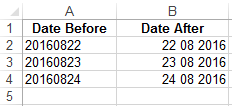
        When extracting data from a database, dates don’t always show up in the format you want them to. That’s why it’s helpful to know how to use the Text to Columns option to convert dates into a format that can be used to easily analyze or work with data. As an accountant, you may want […]

        Continue reading


        Posts navigation

        Older posts
        Newer posts
        Search for:
        Return to top

        Solutions

        • All Solutions

        Resources

        • Additional Reports
        • Sage Intelligence Tips & Tricks
        • Excel Tips & Tricks

        Learning

        Support

        • Get Support Assistance
        • Knowledgebase
        • Report Writers
        Sage Sage South Africa
        Sage South Africa
        • Sitemap
        • Phishing Email Advice
        • Privacy and Cookies
        • Terms and Conditions
        Sage © Sage South Africa Pty Ltd 2020 . All Rights Reserved.
        Loading Comments...