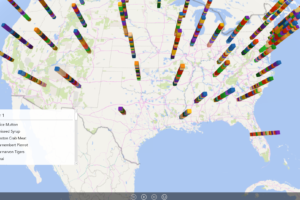
Keyhole visibility is a concept that is familiar to many Small & Medium Businesses (SMBs). This type of business visibility is equivalent to trying to see what’s happening in a room by looking through the keyhole of a door. Likewise, with a narrow view of your business, you are forced to make critical decisions with […]
- Solutions
All Solutions
- Standalone Reporting Tool
- Sage Intelligence for Accounting
- Sage 300cloud Intelligence
- Sage 50cloud Pastel Intelligence Reporting
- Sage Pastel Payroll Intelligence Reporting
- Sage 100/200 Evolution Intelligence Reporting
- Sage 100 Intelligence Reporting
- Sage 300 Intelligence Reporting
- Sage 500 Intelligence Reporting
- Sage VIP Intelligence Reporting
- Resources
All Solutions
- Standalone Reporting Tool
- Sage Intelligence for Accounting
- Sage 300cloud Intelligence
- Sage 50cloud Pastel Intelligence Reporting
- Sage Pastel Payroll Intelligence Reporting
- Sage 100/200 Evolution Intelligence Reporting
- Sage 100 Intelligence Reporting
- Sage 300 Intelligence Reporting
- Sage 500 Intelligence Reporting
- Sage VIP Intelligence Reporting
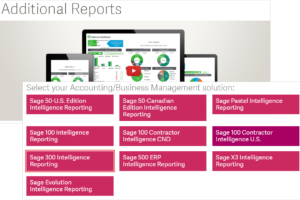
Additional Reports
Download our latest Report Utility tool, giving you the ability to access a library of continually updated reports. You don’t need to waste time manually importing new reports, they are automatically imported into the Report Manager module for you to start using.Sage Intelligence Tips & Tricks
Our Sage Intelligence Tips and Tricks will help you make the most of your favorite reporting solution.Excel Tips & Tricks
Our Excel Tips and Tricks will help you improve your business reporting knowledge and skills.- Learning
- Support
All Solutions
- Standalone Reporting Tool
- Sage Intelligence for Accounting
- Sage 300cloud Intelligence
- Sage 50cloud Pastel Intelligence Reporting
- Sage Pastel Payroll Intelligence Reporting
- Sage 100/200 Evolution Intelligence Reporting
- Sage 100 Intelligence Reporting
- Sage 300 Intelligence Reporting
- Sage 500 Intelligence Reporting
- Sage VIP Intelligence Reporting
Additional Reports
Download our latest Report Utility tool, giving you the ability to access a library of continually updated reports. You don’t need to waste time manually importing new reports, they are automatically imported into the Report Manager module for you to start using.Sage Intelligence Tips & Tricks
Our Sage Intelligence Tips and Tricks will help you make the most of your favorite reporting solution.Excel Tips & Tricks
Our Excel Tips and Tricks will help you improve your business reporting knowledge and skills.Get Support Assistance
Can’t find the solution to the challenge you’re facing in the resource library? No problem! Our highly-trained support team are here to help you out.Knowledgebase
Did you know that you also have access to the same knowledgebase articles our colleagues use here at Sage Intelligence? Available 24/7, the Sage Intelligence Knowledgebase gives you access to articles written and updated by Sage support analysts.Report Writers
Having some trouble creating or customizing the exact report you need to suit your business’s requirements? Contact one of the expert report writers recommended by Sage Intelligence.- Sage City
- University
- About Us
- Contact Us
Learn how to quickly and easily make changes to the design of your Sage Intelligence Reports
Do you want to be able to conveniently update your Sage Intelligence reports? Some of your reports may appear outdated or may require a change in branding based on new company policies. You may also want to add new functionality based on later versions of Excel. This is quick and easy to do with the […]
Understanding your sales trends to drive business success
If cash flow is the lifeblood of a business, being able to understand sales trends must be the heart. In this article, you’ll discover the value of sales trends and how you can use them to better run your business. If you enjoy this post, you can discover more financial tips for small business owners […]
How to use the IFS Function in Microsoft® Excel®
The IFS function gives you an efficient alternative to the tedious task of creating a nested IF function. The IFS function checks conditions sequentially, and as soon as a condition is found to be true, the function stops and returns the specified value. You can take advantage of this logic to define a default result […]
Creating a reference sheet in your Sage Intelligence reports
Accountants, bookkeepers and financial analysts alike will tell you one of the most sought after capabilities of a well-tuned accounting package is time efficiency. No one wants to spend unnecessary time having to enter monotonous data. This is where a well-specified reference sheet in your Sage Intelligence reports can be of immense help. Take the […]
How to Create a 3D Map in Excel 2016
With a 3D Map, you can plot geographical data and view it on a 3D globe or custom map. If your data is time-stamped, you can even use a 3D Map to get a geographical tour of how your data changes over time. To create a 3D Map, your data must be in table format, […]
3 PivotTable Improvements in Microsoft Excel 2016
The PivotTable is one of the easiest tools used to transform huge amounts of data into meaningful reports. Excel didn’t disappoint with the improvements that have been made to PivotTables in their 2016 version. These include the following; Field List search, Automatic Time Grouping, and Multi-select Slicers. In this tip, we explore some improvements made […]
Understanding your Cash Flow
Understanding cash flow is a vital component of any business. According to Eric T. Wagner, contributor for Forbes, “At surface level, the primary reason businesses fail is that they simply run out of cash.” Knowing how much money is coming into and going out of your business means you can determine your net cash flow […]
How to prevent objects from distorting in Excel
When an object has been placed in the same row as your data and you delete some of your rows, you may find that your object will either be compressed or deleted completely. This can easily be avoided by changing a setting in your object properties, thus preventing your object from distorting in Excel. In […]
Learn how to grant or restrict access to reports in the Sage Intelligence Report Viewer
Did you know that you can grant or restrict access to reports in the Sage Intelligence Report Viewer? Sage Intelligence makes this easy to do. Perhaps you’re busy developing a new report and you don’t want users to be able to run it from the Viewer until you’re happy with it. In this tip, I’m […]
Return to topLearning
Sage South Africa
© Sage South Africa Pty Ltd 2020
.
All Rights Reserved.