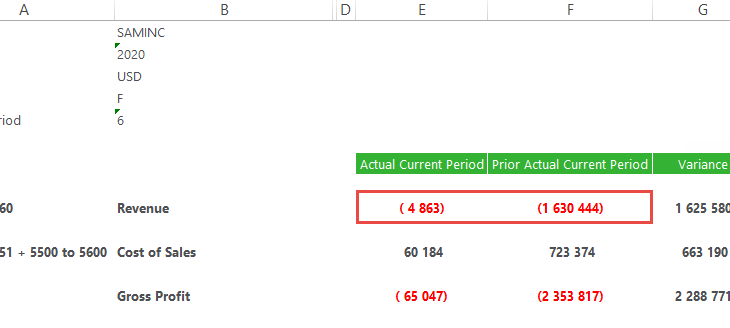
In the Sage Intelligence Financial Report Designer, account balances are returned in their “natural format” from your Sage accounting or business management solution. Therefore, credit accounts (with a credit balance) are shown as negative values and debit accounts (with a debit balance) are shown as positives values. However, in financial reporting, there are times when […]
- Solutions
All Solutions
- Standalone Reporting Tool
- Sage Intelligence for Accounting
- Sage 300cloud Intelligence
- Sage 50cloud Pastel Intelligence Reporting
- Sage Pastel Payroll Intelligence Reporting
- Sage 100/200 Evolution Intelligence Reporting
- Sage 100 Intelligence Reporting
- Sage 300 Intelligence Reporting
- Sage 500 Intelligence Reporting
- Sage VIP Intelligence Reporting
- Resources
All Solutions
- Standalone Reporting Tool
- Sage Intelligence for Accounting
- Sage 300cloud Intelligence
- Sage 50cloud Pastel Intelligence Reporting
- Sage Pastel Payroll Intelligence Reporting
- Sage 100/200 Evolution Intelligence Reporting
- Sage 100 Intelligence Reporting
- Sage 300 Intelligence Reporting
- Sage 500 Intelligence Reporting
- Sage VIP Intelligence Reporting
Additional Reports
Download our latest Report Utility tool, giving you the ability to access a library of continually updated reports. You don’t need to waste time manually importing new reports, they are automatically imported into the Report Manager module for you to start using.Sage Intelligence Tips & Tricks
Our Sage Intelligence Tips and Tricks will help you make the most of your favorite reporting solution.Excel Tips & Tricks
Our Excel Tips and Tricks will help you improve your business reporting knowledge and skills.- Learning
- Support
All Solutions
- Standalone Reporting Tool
- Sage Intelligence for Accounting
- Sage 300cloud Intelligence
- Sage 50cloud Pastel Intelligence Reporting
- Sage Pastel Payroll Intelligence Reporting
- Sage 100/200 Evolution Intelligence Reporting
- Sage 100 Intelligence Reporting
- Sage 300 Intelligence Reporting
- Sage 500 Intelligence Reporting
- Sage VIP Intelligence Reporting
Additional Reports
Download our latest Report Utility tool, giving you the ability to access a library of continually updated reports. You don’t need to waste time manually importing new reports, they are automatically imported into the Report Manager module for you to start using.Sage Intelligence Tips & Tricks
Our Sage Intelligence Tips and Tricks will help you make the most of your favorite reporting solution.Excel Tips & Tricks
Our Excel Tips and Tricks will help you improve your business reporting knowledge and skills.Get Support Assistance
Can’t find the solution to the challenge you’re facing in the resource library? No problem! Our highly-trained support team are here to help you out.Knowledgebase
Did you know that you also have access to the same knowledgebase articles our colleagues use here at Sage Intelligence? Available 24/7, the Sage Intelligence Knowledgebase gives you access to articles written and updated by Sage support analysts.Report Writers
Having some trouble creating or customizing the exact report you need to suit your business’s requirements? Contact one of the expert report writers recommended by Sage Intelligence.- Sage City
- University
- About Us
- Contact Us
Home BI in Excel Page 4
3 Reasons why your business should invest in a Business Intelligence solution
A good Business Intelligence solution will give your company a competitive advantage, and there are many compelling reasons why all business owners should make it a priority to invest in one. Here are the top three: Reason 1: Automate reporting processes Most companies face constant pressure to increase profitability, improve cash flow, reduce costs, and […]
Learn how to quickly and easily make changes to the design of your Sage Intelligence Reports
Do you want to be able to conveniently update your Sage Intelligence reports? Some of your reports may appear outdated or may require a change in branding based on new company policies. You may also want to add new functionality based on later versions of Excel. This is quick and easy to do with the […]
The Sage Intelligence Learning Portal is here! Here’s how to use it…
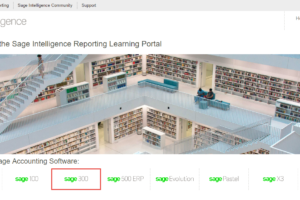
At Sage Intelligence, we recently released our brand new Learning Portal. It consolidates all of our learning resources into one, easy-to-use online library and is categorized to meet your level of knowledge and guide you to mastering your product. In this tip, I’m going to show you how to access the Sage Intelligence Learning Portal […]
Conveniently remove blank item rows in your PivotTable reports
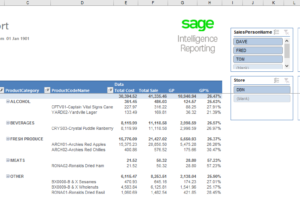
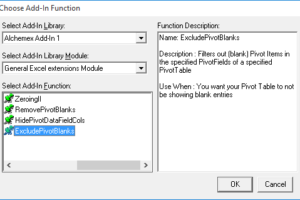
When creating reports, it’s usually preferred that rows with irrelevant data are excluded—as this results in a tidier, more readable report. When it comes to PivotTable reports, this can include rows with blank items. Below is an example of a report with them shown. To get rid of them, we have an add-in specifically for […]
Is Power BI really worth the hype?
Many years ago, when I was a young Business Intelligence (BI) Report Writer and long before Power BI, I remember seeing Excel 2010 for the first time—mesmerized by the striking animations that shimmer in the splash screen. I remember my excitement to play with it, like a child waiting to tear off the gift-wrap and […]
Easily recover an unsaved workbook in Microsoft Excel
If you’ve experienced the mishap of mistakenly closing a file while working on it, or losing it due to a power failure or gremlin in your computer, you’ll know how frustrating it can be. Fortunately, changes were made in Microsoft® Excel® 2010 and 2013 which make the process to recover an unsaved workbook much simpler. […]
Alchemex acquired by the Sage Group
The directors of Alchemex (Pty) Ltd are pleased and proud to advise that Alchemex was acquired by Softline, effective October 1, 2011. From this date, Alchemex became part of Softline and the Sage Group plc. Sage views this as a strategic acquisition to address the burgeoning need for Business Intelligence in the Small and Mid-Sized […]
Santa delivers ERP dashboard
Glen Mund recently requested an ERP Dashboard for Christmas. It was at the top of his wish list, ahead of the “Inception” DVD and a pair of “BOSE” noise reduction headphones. And it was on his list despite the fact that he actually has an ERP dashboard already. You see, his current ERP dashboard is calculated […]
Why Mid-Sized Businesses should invest in an integrated Excel-based Business Intelligence solution: Reason No. 3
Reason 3: Get immediate ROI Typically the barriers to adoption of BI are cost and complexity. An integrated BI solution makes deployment rapid without any IT hurdles, allowing for an immediate return on investment. Because it is a module of your existing accounting package, no new relationships or extensive IT investments are required. It can […]
Return to topLearning
Sage South Africa
© Sage South Africa Pty Ltd 2020
.
All Rights Reserved.