I recently became a parent. For those who have gone through this experience, you’ll know it’s an emotional one, and the way you view the world changes. Even if that change is only because you are viewing it through half-closed eyes because of a lack of sleep. For those that don’t have children, the experience […]
- Solutions
All Solutions
- Standalone Reporting Tool
- Sage Intelligence for Accounting
- Sage 300cloud Intelligence
- Sage 50cloud Pastel Intelligence Reporting
- Sage Pastel Payroll Intelligence Reporting
- Sage 100/200 Evolution Intelligence Reporting
- Sage 100 Intelligence Reporting
- Sage 300 Intelligence Reporting
- Sage 500 Intelligence Reporting
- Sage VIP Intelligence Reporting
- Resources
All Solutions
- Standalone Reporting Tool
- Sage Intelligence for Accounting
- Sage 300cloud Intelligence
- Sage 50cloud Pastel Intelligence Reporting
- Sage Pastel Payroll Intelligence Reporting
- Sage 100/200 Evolution Intelligence Reporting
- Sage 100 Intelligence Reporting
- Sage 300 Intelligence Reporting
- Sage 500 Intelligence Reporting
- Sage VIP Intelligence Reporting
Additional Reports
Download our latest Report Utility tool, giving you the ability to access a library of continually updated reports. You don’t need to waste time manually importing new reports, they are automatically imported into the Report Manager module for you to start using.Sage Intelligence Tips & Tricks
Our Sage Intelligence Tips and Tricks will help you make the most of your favorite reporting solution.Excel Tips & Tricks
Our Excel Tips and Tricks will help you improve your business reporting knowledge and skills.- Learning
- Support
All Solutions
- Standalone Reporting Tool
- Sage Intelligence for Accounting
- Sage 300cloud Intelligence
- Sage 50cloud Pastel Intelligence Reporting
- Sage Pastel Payroll Intelligence Reporting
- Sage 100/200 Evolution Intelligence Reporting
- Sage 100 Intelligence Reporting
- Sage 300 Intelligence Reporting
- Sage 500 Intelligence Reporting
- Sage VIP Intelligence Reporting
Additional Reports
Download our latest Report Utility tool, giving you the ability to access a library of continually updated reports. You don’t need to waste time manually importing new reports, they are automatically imported into the Report Manager module for you to start using.Sage Intelligence Tips & Tricks
Our Sage Intelligence Tips and Tricks will help you make the most of your favorite reporting solution.Excel Tips & Tricks
Our Excel Tips and Tricks will help you improve your business reporting knowledge and skills.Get Support Assistance
Can’t find the solution to the challenge you’re facing in the resource library? No problem! Our highly-trained support team are here to help you out.Knowledgebase
Did you know that you also have access to the same knowledgebase articles our colleagues use here at Sage Intelligence? Available 24/7, the Sage Intelligence Knowledgebase gives you access to articles written and updated by Sage support analysts.Report Writers
Having some trouble creating or customizing the exact report you need to suit your business’s requirements? Contact one of the expert report writers recommended by Sage Intelligence.- Sage City
- University
- About Us
- Contact Us
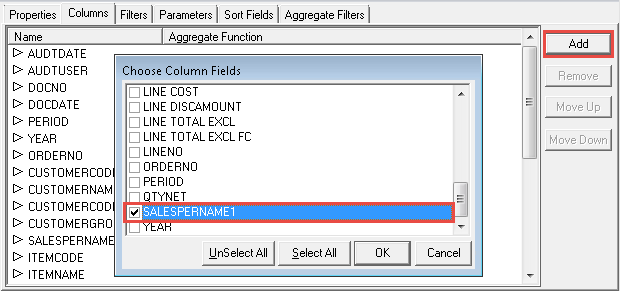
Learn how to add additional fields to a report
Did you know that whether you are using a standard or a customised Sage Intelligence report, you’re free to add additional fields to it in the Sage Intelligence Report Manager? There are a couple of reasons why you might want to do this. For example, perhaps the report doesn’t have a particular field you want […]
Why you should INVEST in user stories
As a Business Analyst in a company utilizing an Agile development methodology with a high release-to-market approach, it has become truly evident and apparent that user stories are powerful tools in the software delivery process. Conjuring on average about 3 to 5 user stories on a good day, the practice of creating, communicating and processing […]
Troubleshooting your Sage Intelligence errors made easy
No matter what time of day it is, it’s never a good time for Sage Intelligence errors. What can you do to resolve these errors on your own? And, what can you do next? Sage Intelligence has made it possible to triage these issues, and if you can’t figure it out on your own—you can […]
How to calculate Sales Tax/ VAT using PowerPivot Measures in Excel
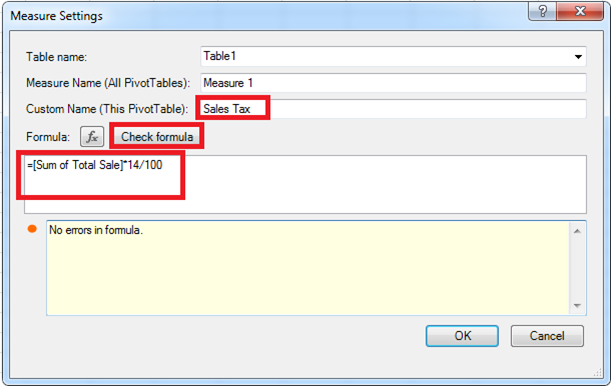
In a previous tip, we showed you how to set up a PivotTable using PowerPivot. You’re now going to learn how you can easily calculate Sales Tax/ VAT using the Measures feature in the PowerPivot tab. If you’re the business’s accountant, you may want to analyze the Sales Tax/ VAT that will be paid on the products […]
Have you got your head stuck in the cloud?
Cloud technology; modern day society’s means to life. A social and educational necessity to the millennial, Xennials’ daily newspaper and a spring of economic and financial opportunity for households and governments. It has become an increasingly integral part of our daily lives, how we interact, how we obtain information and how we perform our professional […]
Learn how to share your report between different users and companies
Did you know that in Sage Intelligence you can design a report in one company and view that same report in a different company? That’s right, just as long as those companies carry the same account structure, you can share your report. This report will go through the following process: Designed in one company Exported […]
What’s the deal with Sage Intelligence and data sorting?
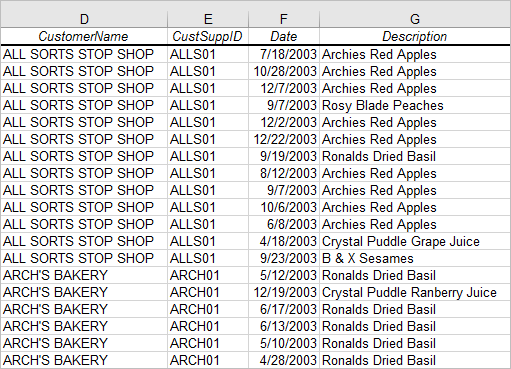
Have you ever run out a report only to find the need to change the sorting of a specific field once the output is in Excel? This can be quite taxing, especially if you run multiple reports with a lot of data on a regular basis, and if you need to sort multiple columns on […]
Are you seeing the wood for the trees, or rather, the information for the data?
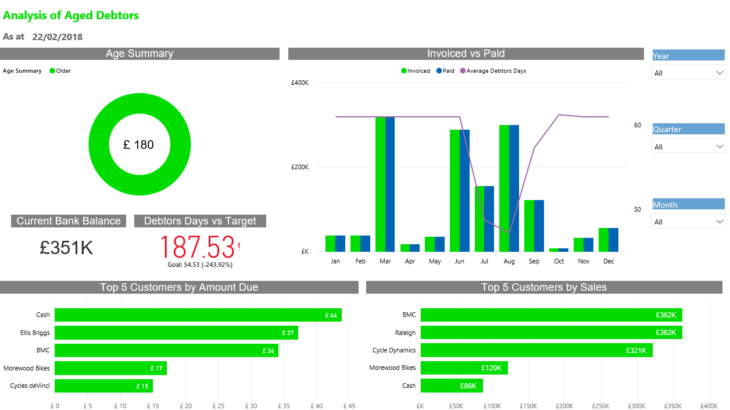
Perhaps you’re an implementer like myself. You get a high from setting things in motion, singling out the areas where you can make the biggest difference, and attacking those relentlessly. Perhaps though, you can get so lost in the implementation and detail of your tasks or ideas, that your bigger picture field of view is […]
Here’s how to run a report out to PDF
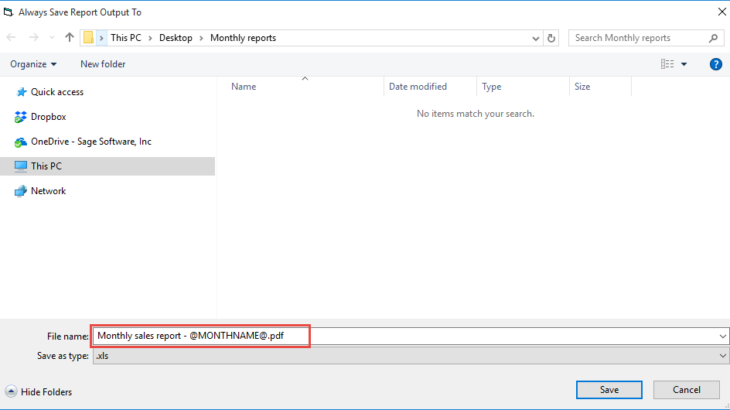
In our last tip, we showed you how to save a copy of your Excel workbook to file when running a report. If you’d like to catch up on it, then take a look here. Did you know that in addition to saving your reports in an Excel format, you have the option to run […]
Return to topLearning
Sage South Africa
© Sage South Africa Pty Ltd 2020
.
All Rights Reserved.