Cloud technology; modern day society’s means to life. A social and educational necessity to the millennial, Xennials’ daily newspaper and a spring of economic and financial opportunity for households and governments. It has become an increasingly integral part of our daily lives, how we interact, how we obtain information and how we perform our professional […]

- Solutions
All Solutions
- Standalone Reporting Tool
- Sage Intelligence for Accounting
- Sage 300cloud Intelligence
- Sage 50cloud Pastel Intelligence Reporting
- Sage Pastel Payroll Intelligence Reporting
- Sage 100/200 Evolution Intelligence Reporting
- Sage 100 Intelligence Reporting
- Sage 300 Intelligence Reporting
- Sage 500 Intelligence Reporting
- Sage VIP Intelligence Reporting
- Resources
All Solutions
- Standalone Reporting Tool
- Sage Intelligence for Accounting
- Sage 300cloud Intelligence
- Sage 50cloud Pastel Intelligence Reporting
- Sage Pastel Payroll Intelligence Reporting
- Sage 100/200 Evolution Intelligence Reporting
- Sage 100 Intelligence Reporting
- Sage 300 Intelligence Reporting
- Sage 500 Intelligence Reporting
- Sage VIP Intelligence Reporting
Additional Reports
Download our latest Report Utility tool, giving you the ability to access a library of continually updated reports. You don’t need to waste time manually importing new reports, they are automatically imported into the Report Manager module for you to start using.Sage Intelligence Tips & Tricks
Our Sage Intelligence Tips and Tricks will help you make the most of your favorite reporting solution.Excel Tips & Tricks
Our Excel Tips and Tricks will help you improve your business reporting knowledge and skills.- Learning
- Support
All Solutions
- Standalone Reporting Tool
- Sage Intelligence for Accounting
- Sage 300cloud Intelligence
- Sage 50cloud Pastel Intelligence Reporting
- Sage Pastel Payroll Intelligence Reporting
- Sage 100/200 Evolution Intelligence Reporting
- Sage 100 Intelligence Reporting
- Sage 300 Intelligence Reporting
- Sage 500 Intelligence Reporting
- Sage VIP Intelligence Reporting
Additional Reports
Download our latest Report Utility tool, giving you the ability to access a library of continually updated reports. You don’t need to waste time manually importing new reports, they are automatically imported into the Report Manager module for you to start using.Sage Intelligence Tips & Tricks
Our Sage Intelligence Tips and Tricks will help you make the most of your favorite reporting solution.Excel Tips & Tricks
Our Excel Tips and Tricks will help you improve your business reporting knowledge and skills.Get Support Assistance
Can’t find the solution to the challenge you’re facing in the resource library? No problem! Our highly-trained support team are here to help you out.Knowledgebase
Did you know that you also have access to the same knowledgebase articles our colleagues use here at Sage Intelligence? Available 24/7, the Sage Intelligence Knowledgebase gives you access to articles written and updated by Sage support analysts.Report Writers
Having some trouble creating or customizing the exact report you need to suit your business’s requirements? Contact one of the expert report writers recommended by Sage Intelligence.- Sage City
- University
- About Us
- Contact Us
Home accounting Page 7
How do you choose a business partner for life?
Imagine a small child embarking on their first trip in an aeroplane. The excitement of the trip to come, the cute, Disney bag packed (maybe large enough to ride around the airport) and a long, tiring walk through the terminal. Then they’re quickly strapped into seat, a friendly pat on the head from a steward […]
Learn how to share your report between different users and companies
Did you know that in Sage Intelligence you can design a report in one company and view that same report in a different company? That’s right, just as long as those companies carry the same account structure, you can share your report. This report will go through the following process: Designed in one company Exported […]
What’s the deal with Sage Intelligence and data sorting?
Have you ever run out a report only to find the need to change the sorting of a specific field once the output is in Excel? This can be quite taxing, especially if you run multiple reports with a lot of data on a regular basis, and if you need to sort multiple columns on […]
Are you seeing the wood for the trees, or rather, the information for the data?
Perhaps you’re an implementer like myself. You get a high from setting things in motion, singling out the areas where you can make the biggest difference, and attacking those relentlessly. Perhaps though, you can get so lost in the implementation and detail of your tasks or ideas, that your bigger picture field of view is […]
Anything is possible with perseverance (and peanut butter)
Near the end of the 2017, I read an interesting article by Microsoft’s Brad Smith, which was written as part of celebrating the completion of a 4,000-mile-long, sub-sea, communications cable between North America and Spain. The laying of this cable is an impressive achievement, as well as the fact that it can apparently transmit eight times […]
Here’s how to run a report out to PDF
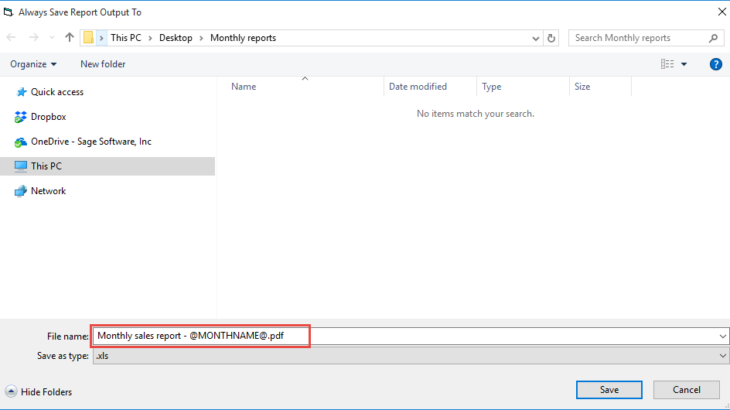
In our last tip, we showed you how to save a copy of your Excel workbook to file when running a report. If you’d like to catch up on it, then take a look here. Did you know that in addition to saving your reports in an Excel format, you have the option to run […]
SMEs need insight into data as much as big companies—if not more
In a climate of economic volatility, changing consumers, and globalized competition, small to medium-sized enterprises (SMEs) perhaps need access to accurate, actionable business insight into data even more than bigger enterprises do. Most SMEs are operating on tight margins and don’t have endless reservoirs of cash and credit. They need up-to-the-minute information about trends in […]
Five non-negotiable questions you should be asking your reporting solution
Many companies today suffer from a lack of visibility into key performance metrics. We call this “keyhole visibility” because it’s the equivalent of trying to evaluate what’s happening in a room by looking through the keyhole. With a narrow view, you’re unable to fully understand what’s behind the door and what might be lurking around […]
Learn how to save a report to file using Sage Intelligence
Apart from just running out a report, Sage Intelligence allows you to automatically save the generated workbook to a file during run-time. This is useful, for example, if you run a monthly sales report that needs to be saved to a central location for others to view. In this tip, I’m going to show you […]
Return to topLearning
Sage South Africa
© Sage South Africa Pty Ltd 2020
.
All Rights Reserved.